.webp)








Introduction
Starting Garden Horizons on Roblox can feel overwhelming—not because the game is complicated, but because beginners often underestimate how much efficiency depends on understanding the controls and interface.
Many new players lose time navigating menus, switching tools slowly, mismanaging inventory, or overlooking important UI indicators. These small inefficiencies add up, reducing your profit per minute and slowing progression.
This complete controls and interface guide will help you master movement, tool usage, UI navigation, inventory management, and advanced shortcuts so you can farm faster, level quicker, and scale smarter from day one.
1. Basic Movement Controls Explained

Movement efficiency directly impacts farming speed.
Default PC Controls
On desktop (most common on Roblox):
- W / A / S / D – Move character
- Mouse – Camera control
- Shift – Sprint (if enabled)
- Spacebar – Jump
Why Movement Speed Matters
In Garden Horizons:
- Walking between crop rows takes time
- Long travel paths reduce harvest cycles
- Poor camera control slows targeting
Efficient movement reduces downtime between planting and harvesting.
Beginner Tip
Always position your character strategically before planting:
- Stand centered in crop rows
- Face toward the next harvest direction
- Minimize unnecessary turning
Small movement optimizations compound over time.
2. Understanding the Main Interface Layout
The UI in Garden Horizons contains several key sections:
- Top bar (coins, level, XP progress)
- Tool hotbar
- Inventory menu
- Shop interface
- Quest tracker
Understanding each section prevents wasted clicks.
Top Bar Indicators
You’ll usually see:
- Current coin balance
- Level indicator
- XP progress bar
Monitor your XP bar closely. It helps determine when switching strategies (like upgrading or expanding) makes sense.
Quest Tracker Importance
Many beginners ignore the quest tracker. Big mistake.
It:
- Shows daily tasks
- Displays event objectives
- Offers bonus coin opportunities
Keep it visible while farming.
3. Mastering the Tool Hotbar
Your tool hotbar is your main productivity system.
Common Tools Include
- Hoe (soil preparation)
- Watering tool
- Harvest tool
- Special boosters
Switching tools quickly increases efficiency.
Hotkey Usage
On PC:
- Number keys (1–9) switch tools instantly
Avoid clicking tools manually with your mouse. Hotkeys save seconds every cycle.
Efficiency Tip
Group tool actions in sequence:
- Prepare soil
- Plant
- Water
- Harvest
Develop rhythm instead of random switching.
4. Navigating the Seed Shop Efficiently
The shop interface is where many beginners lose time.
Common Beginner Mistakes
- Scrolling slowly each time
- Forgetting crop growth duration
- Re-checking stats repeatedly
Smart Buying Strategy
Before opening shop:
- Know which crop you’re buying
- Know how many plots need seeds
- Buy in bulk
Plan first, click second.
5. Inventory Management System
Your inventory holds:
- Harvested crops
- Seeds
- Special items
Poor inventory habits slow down coin generation.
Why Inventory Awareness Matters
If inventory fills:
- You cannot harvest
- Production stops
- Income pauses
Best Practices
- Sell regularly
- Keep seed stock minimal
- Avoid hoarding early-game crops
Think liquidity, not storage.
6. Understanding the Upgrade Interface
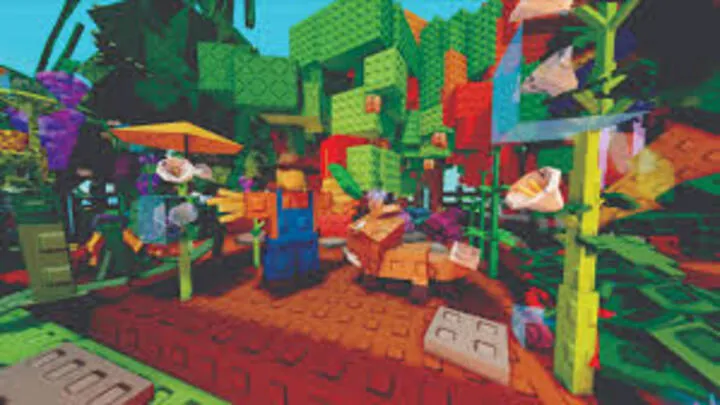
Tool upgrades usually require entering a separate menu.
Upgrade Screen Elements
- Current tool stats
- Next level improvement
- Upgrade cost
How to Evaluate Upgrades
Ask:
- How much time will this save?
- How many cycles until cost is recovered?
Never upgrade blindly. Every upgrade must increase hourly output.
7. Quest & Event Interface Guide
The quest interface is often underestimated.
Where to Find Quests
Typically accessible via:
- Sidebar menu
- Event banner
- Dedicated quest panel
Why You Should Check It First
Quests often require:
- Planting specific crops
- Harvesting certain quantities
- Completing timed objectives
Align farming with quests for double rewards.
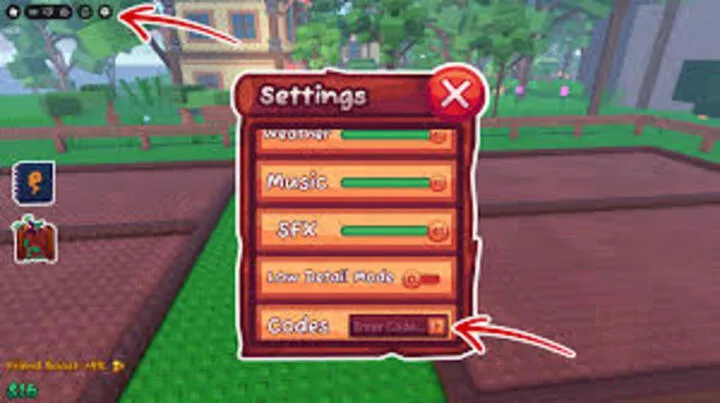
8. Settings Menu Optimization
Many players never adjust settings—but they should.
Camera Sensitivity
Higher sensitivity:
- Faster camera rotation
- Better targeting speed
Lower sensitivity:
- More precision
Find a balance that matches your reaction speed.
Graphics Settings
Lower graphics:
- Improve FPS
- Reduce lag
- Increase harvesting smoothness
Performance = productivity.
9. Mobile vs PC Control Differences
If you play on mobile within Roblox:
Mobile Controls
- On-screen joystick
- Tap-to-harvest mechanics
- Touch tool switching
Challenges on Mobile
- Slower tool switching
- Reduced precision
- More accidental misclicks
Mobile players should:
- Use larger crop blocks
- Avoid tight layouts
- Favor medium-growth crops
Adjust strategy to control limitations.
10. Advanced Control Techniques
Once comfortable, optimize further.
Harvest Pattern Optimization
Instead of random harvesting:
- Move row by row
- Maintain consistent direction
- Avoid backtracking
Pre-Positioning Trick
Stand at the edge of crop blocks before harvest completes.
This reduces first-second reaction delay.
Muscle Memory Development
The more consistent your farming routine:
- The faster you become
- The less thinking required
- The higher your profit per hour
Efficiency becomes automatic.
11. Reducing Downtime Between Actions
Downtime is the silent income killer.
Common Downtime Causes
- Checking shop too often
- Rearranging layout mid-cycle
- Opening menus unnecessarily
Solution
Batch actions:
- Buy seeds in bulk
- Upgrade during downtime
- Sell after full harvest
Never interrupt active farming unnecessarily.
12. Building a Smooth Farming Workflow
Combine everything into a loop:
- Check quests
- Buy seeds in bulk
- Plant efficiently
- Harvest in pattern
- Sell immediately
- Reinvest
The smoother your interface navigation, the higher your scaling speed.
Controls mastery turns an average player into a highly efficient one.
Conclusion
In Garden Horizons, mastering controls and interface navigation is just as important as choosing the right crops. The difference between slow progress and rapid scaling often comes down to seconds saved per harvest cycle.
By optimizing movement, using hotkeys, managing inventory wisely, planning shop visits, and reducing downtime, you dramatically increase your income per hour.
Efficiency isn’t flashy — but it’s powerful.
Learn the interface. Master the controls. Remove friction from your workflow.
Once your actions become smooth and automatic, your farm will grow faster than ever.